
Configurable roles + permissions
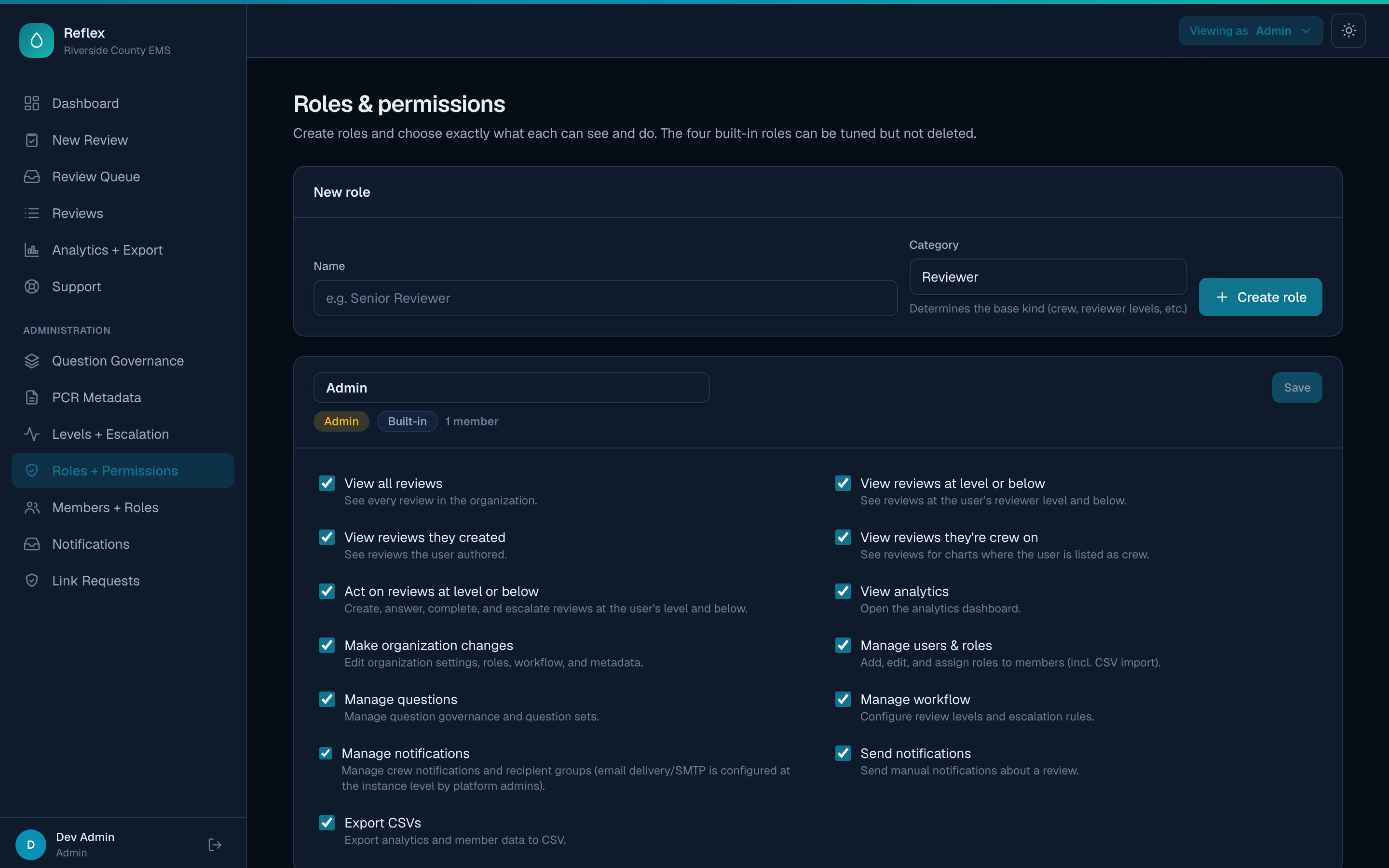
Create unlimited roles and toggle granular permissions—who can view which reviews, act at which levels, run analytics, export data, or administer the org.
EMS QA review platform
Reflex is a configurable quality assurance review platform for EMS agencies. Define your own roles and permissions, capture the PCR fields you actually track, version your question sets, and route charts through the exact escalation path your medical directors expect.
Explore a live demo loaded with sample data—browse as different roles, no signup. Resets hourly.
Everything a QA program needs
From intake to escalation to analytics—every layer is configurable, so Reflex matches your protocols instead of forcing new ones.
Create unlimited roles and toggle granular permissions—who can view which reviews, act at which levels, run analytics, export data, or administer the org.
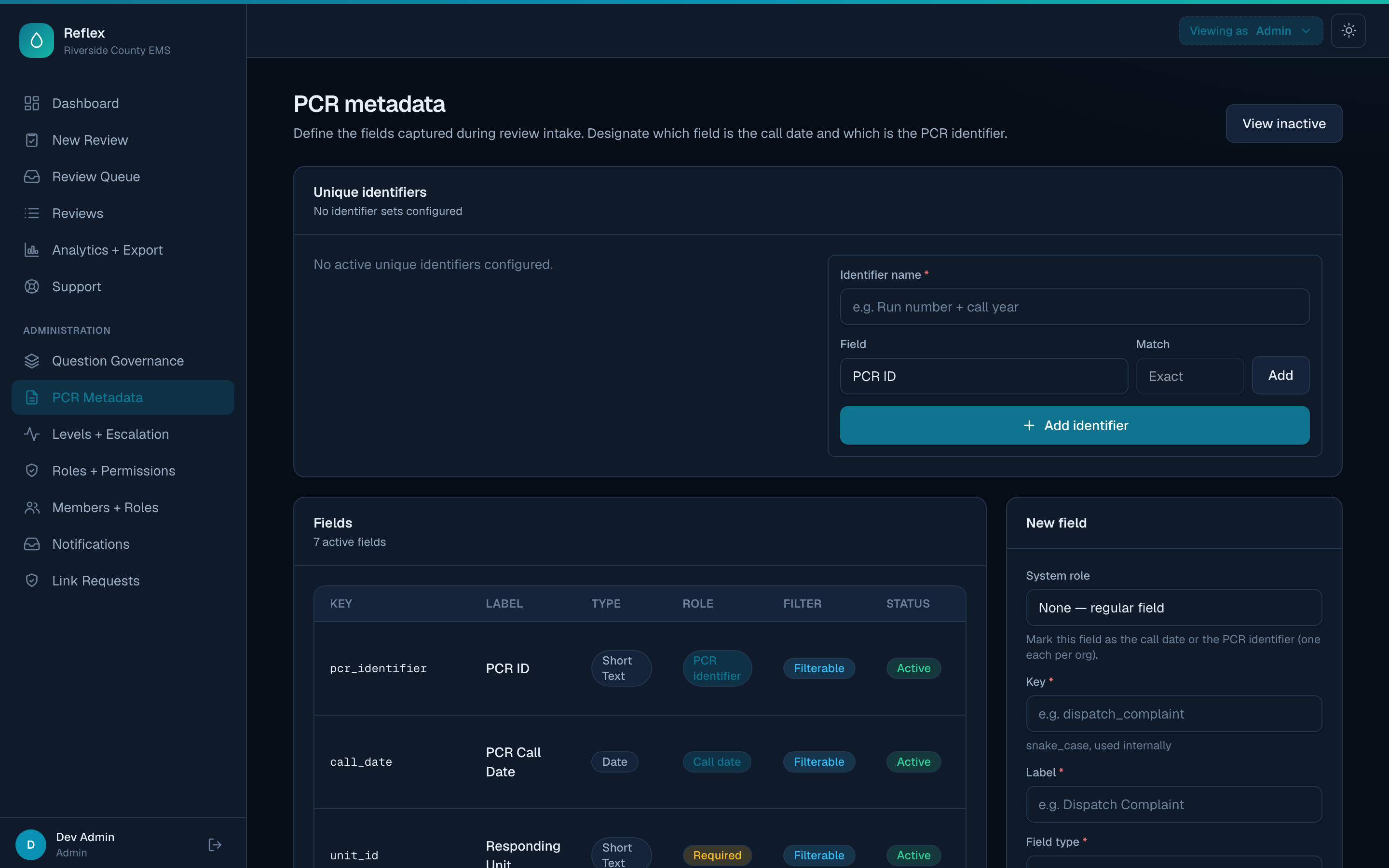
Define exactly the fields captured at intake—text, numbers, dates, dropdowns—mark any as a filter, and compose them into unique chart identifiers.
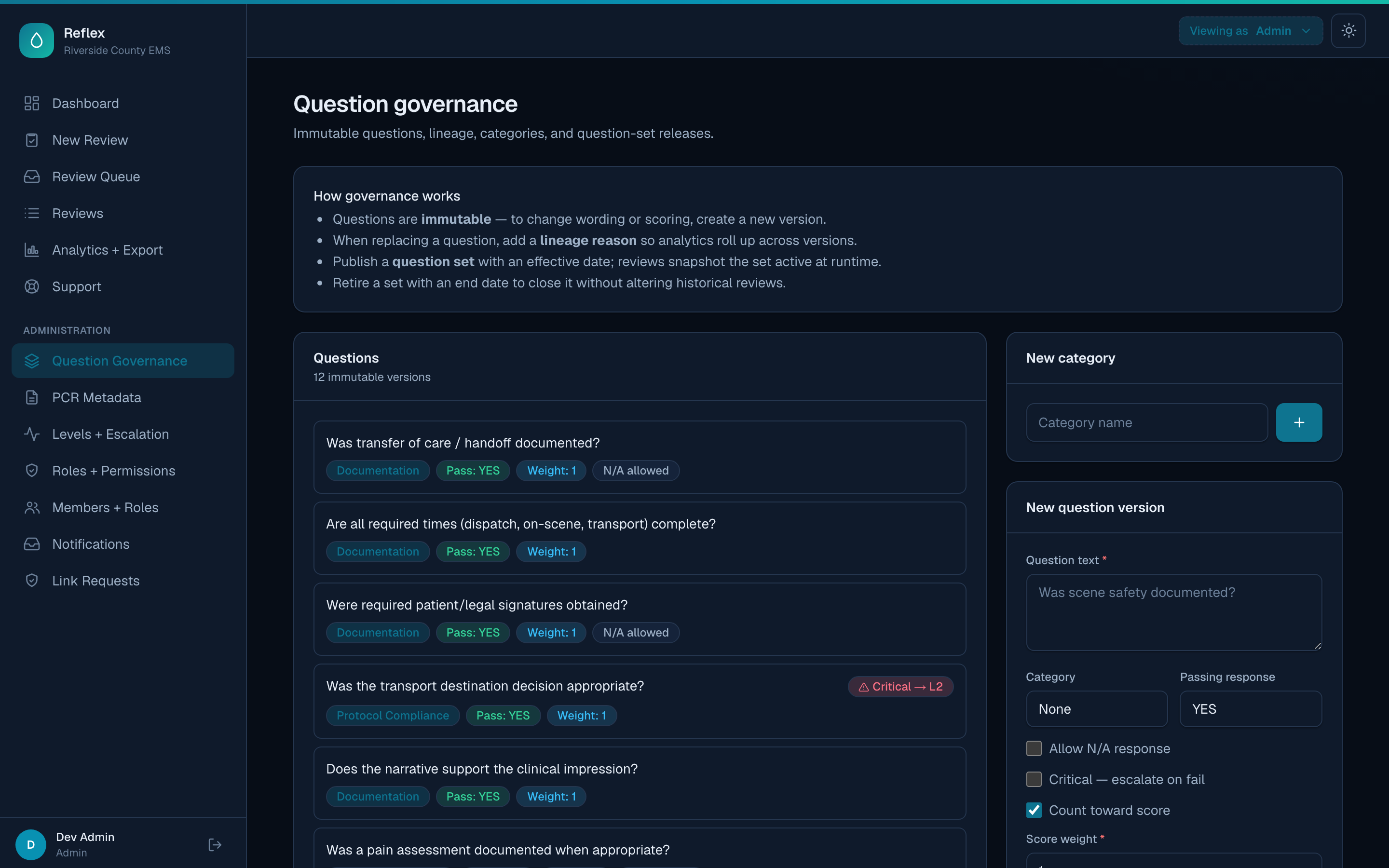
Versioned, immutable questions with lineage and conditional follow-up sub-questions. Publish question sets with effective dates; every review snapshots the set that was live at the time.
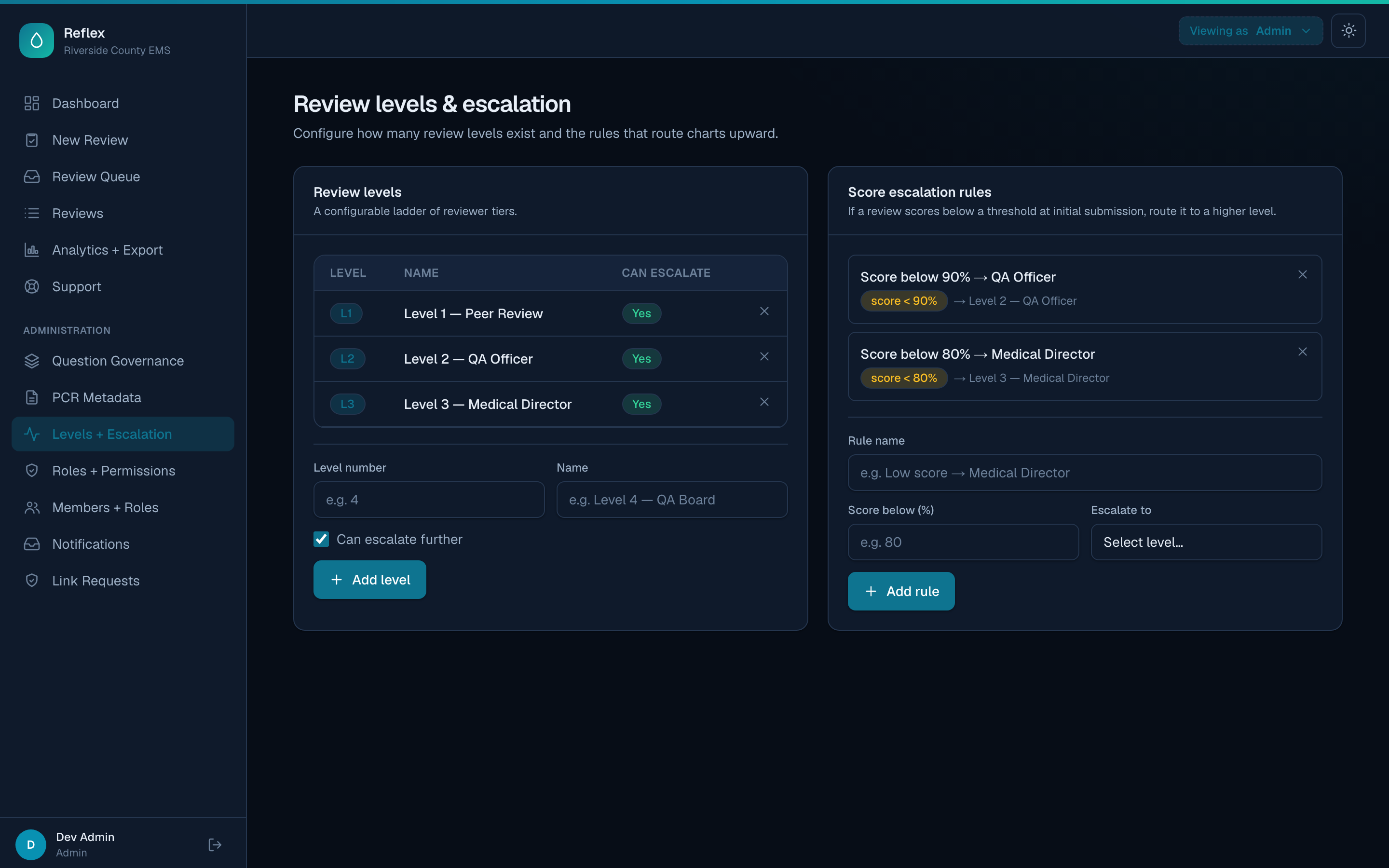
Configure reviewer levels and escalation rules—by score threshold or critical-question failure. Escalate to a level or hand a chart directly to a specific reviewer, with a clean path to completion at the top of the tree.
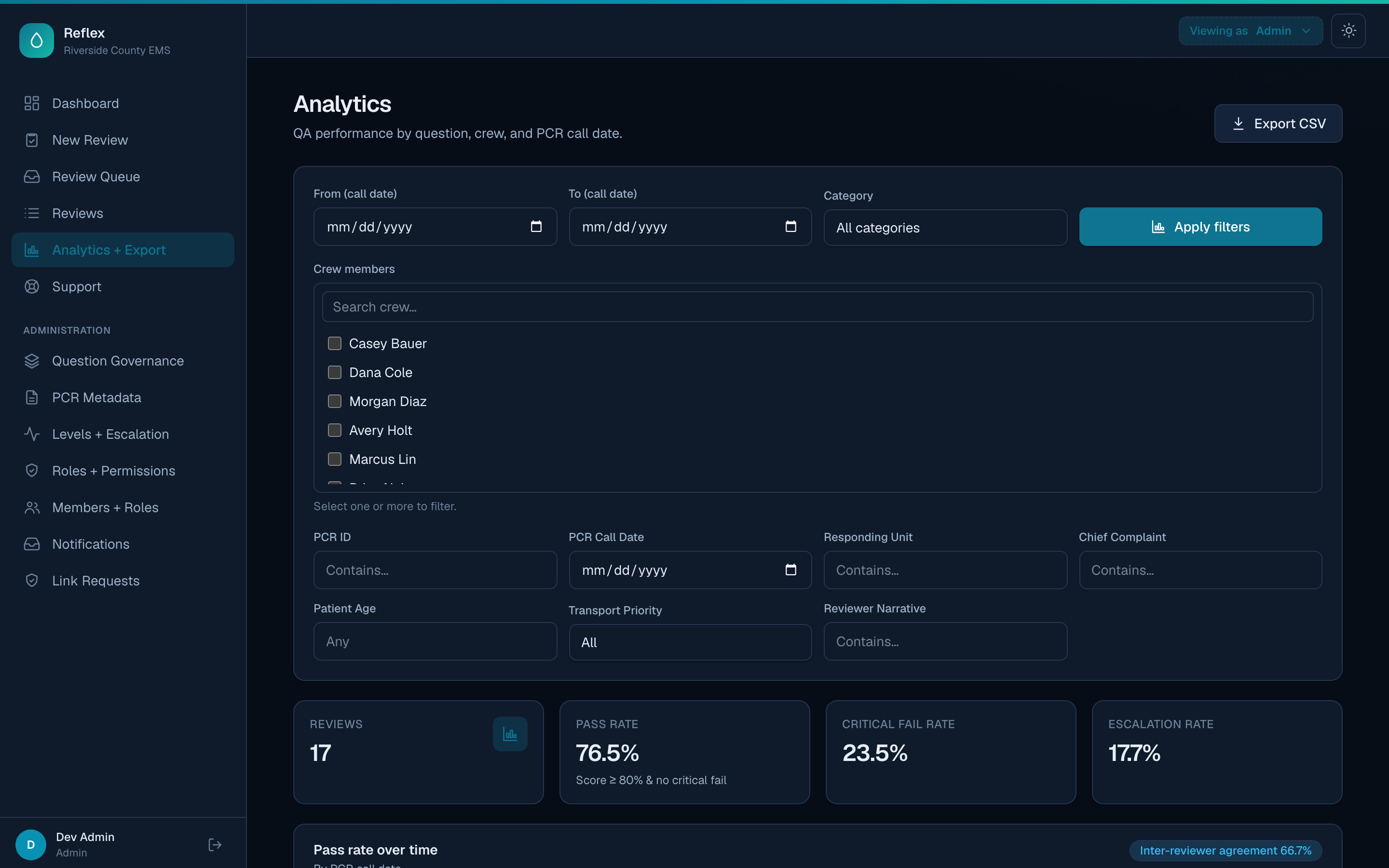
Pass rates by question, crew, and call date. Filter by any metadata field, compare crews with AND/OR logic, and export everything to CSV.
Themed email alerts on critical findings, crew notifications when their charts are reviewed (immediate, per-step, or digests), reviewer queue digests for what's pending, secure read-only links to share a review with an outside stakeholder, and built-in support tickets.
Built to be configured
Most QA tools make you adapt to their model. Reflex hands you the model. Here's how deep it goes.
Start from sensible built-in roles, then tune them permission-by-permission—or invent your own. Reviewer levels, read-only analysts, crew who only see their own charts, an auditor who can export but not act. Thirteen granular permissions allow you to build out roles any way your org is structured.
Add the fields your QA program actually tracks and drop the ones you don't. Choose field types, mark any field as a searchable analytics filter, retire fields without losing history, and reactivate them anytime. Compose fields into unique identifiers that drive de-duplication.
Questions are immutable and versioned with lineage, so when wording or scoring evolves you create a new version—and analytics still roll up across the chain. Publish question sets with effective dates; each review snapshots the set that was live when it ran.
Define your reviewer levels and the rules that move a chart up the chain—a score below threshold, a failed critical question, or a manual forward. Escalations climb automatically, top-level reviewers reroute to a peer instead of hitting a dead-end, and every chart resolves cleanly.
Insight, not just records
Pass rate trends, inter-reviewer agreement, and per-question performance—sliced by crew, call date, and any custom field you've defined.
Every searchable metadata field becomes an analytics filter—narrow to a unit, a complaint, a priority, a date range.
Multi-select crew members and switch between AND / OR matching to isolate exactly the cohort you care about.
One click sends the full question breakdown to CSV for your committee deck or state reporting.
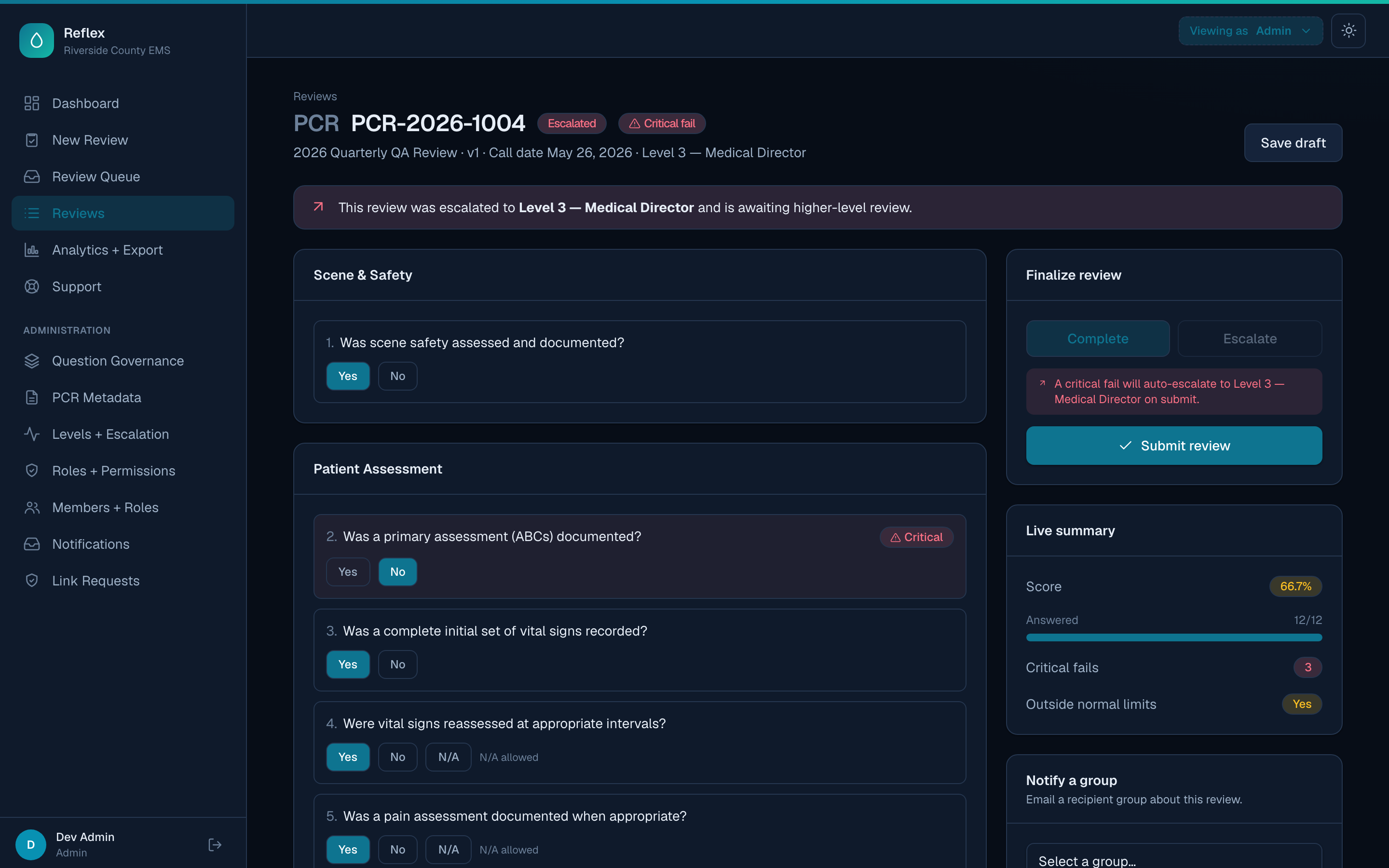
Reviewers answer against the live question set with a running summary—score, answered count, critical fails, and outside-normal-limits—always in view. Drop a comment on any single question, leave a closing note that can email the crew, and when something needs another set of eyes, escalate, reroute, or complete in a click.
Make it yours, literally
Each agency gets its own primary, secondary, and tertiary colors, custom light and dark backgrounds, and its own subdomain—flowing into buttons, charts, nav, and every system email. This very page is themed from Reflex's own palette; flip the toggle to see it move.
From kickoff to first review
Reflex is delivered as a managed service. Your agency gets its own secured workspace, subdomain, and palette—you focus on quality, and we handle the hosting, updates, and backups.
We provision your agency's workspace, subdomain, and brand colors, and connect your single sign-on—or we'll set you up with ours.
Tailor roles, PCR metadata, question sets, and your escalation workflow to match your QA program—with our team alongside you.
Invite your reviewers and start scoring charts the same day. We keep it running, updated, and backed up.
See Reflex configured to your protocols, your fields, and your escalation chain.